
Independent software studio
Small apps for the little things that eat your day.
An iPhone app that remembers when you last did things. A browser extension that copies text in one click. Free tools that work on your device, not someone else’s server. Each one fixes one annoying thing, and fixes it properly.
- Private by default
- No ads
- No account needed
Before: When did I last get a haircut? Scroll back through photos and guess.
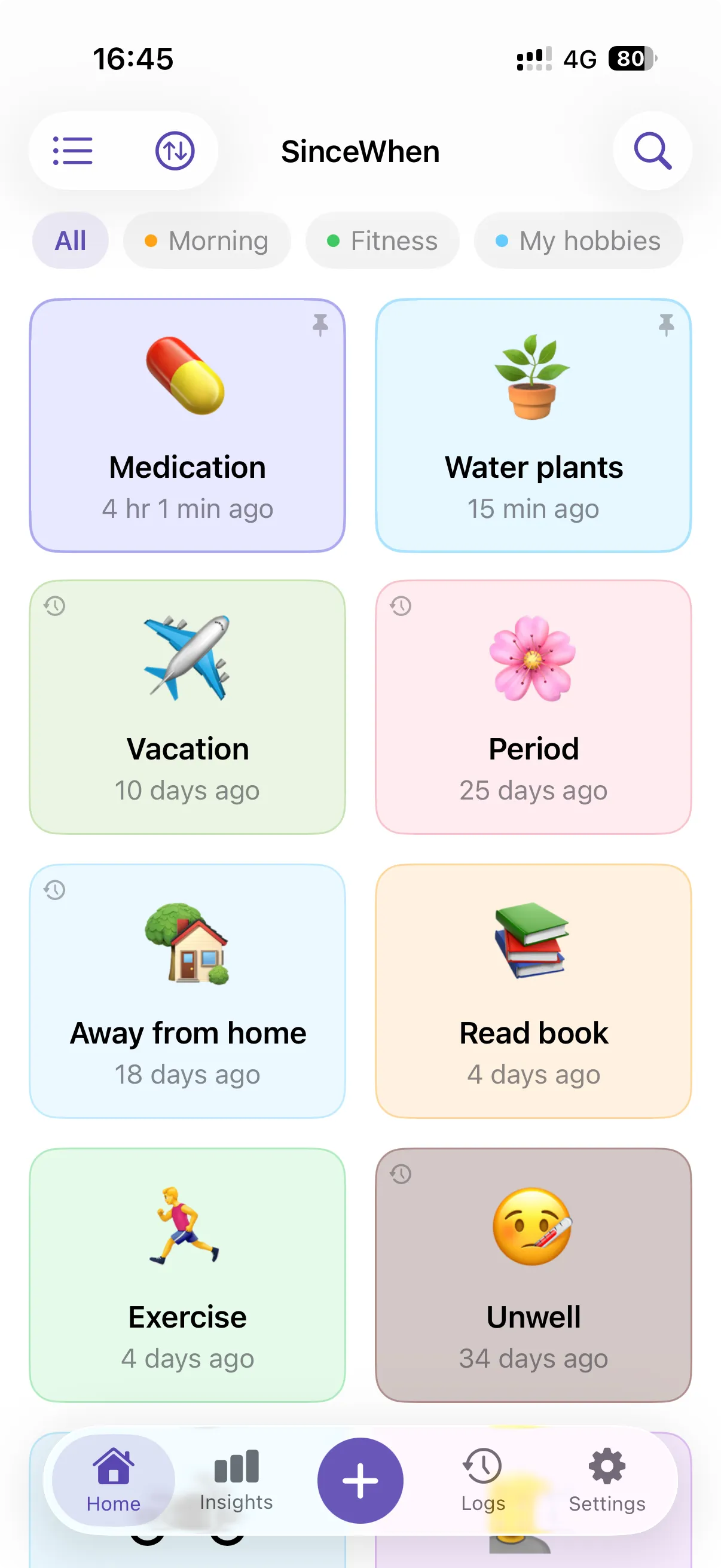
With SinceWhen
34 days ago. Usually every 36, so it’s due in 2.
The apps
One job each. Done properly.
From the phone in your pocket to the tab you’re reading right now. No bloat, no upsells in your face, nothing you have to learn twice.

iPhone app
SinceWhen
Remember the last time. Know the next.
When did you last get a haircut? Change the oil? Call Mom? Tap once to log it, and SinceWhen learns your rhythm and nudges you when it’s due again. No account, no ads, no streaks to keep alive.
- Widgets & Control Center
- Siri & Shortcuts
- Free iCloud sync
- Free
- 3 events with sync, widgets, Siri and nudges
- Pro
- Unlimited events, iCloud Backup, export and custom app icons
Web app · Free
AppScreenPro
App Store screenshots that look as good as your app. Style the frames and headlines once, then export every size in a single ZIP.
Open AppScreenPro
Web app · Free
PDFJar
Merge, split, compress and convert PDFs without uploading them anywhere. Everything happens in your browser.
Open PDFJar
Chrome extension · Free
Copy Text Easily
Click a paragraph or sentence and it’s on your clipboard. No more drag-selecting and overshooting.
See how it works
More from DevApt
- Bookmark ManagerSearch and preview bookmarks without leaving your tab
- Link SnapperTurn long, messy links into clean ones
- Text to ImageTurn any selected text into a shareable image
- FormEasyOpen-source forms for static sites, into Google Sheets
Earlier work, both acquired: Quicky AI (Chrome extension) and Tweetlet (web tool).
All products →How it’s made
Less software, more done.
Four rules every DevApt product has to pass before it ships.
- 01
One job, done properly
Every app starts from one specific annoyance. If a feature doesn’t make that job easier, it doesn’t ship.
- 02
Private by default
No account unless it’s truly needed. The image and PDF tools run in your browser, so your files stay on your device.
- 03
One tap, one click
If it needs a tutorial before it’s useful, it isn’t finished. The everyday action should take a single tap or click.
- 04
Made by a person
No committee, no support queue. Your email reaches the person who wrote the code and can actually fix it.
Free tools
Quick fixes, right in your browser.
Convert, clean up and count without installing anything or handing your files to a server.
Free tools, no sign-up
All tools- Background RemoverCut out any photo in your browser
- HEIC to JPGOpen iPhone photos anywhere
- Image to WebPJPG, PNG or HEIC to WebP
- PNG to WebPSmaller images, faster pages
- WebP to PNGBack to PNG for compatibility
- WebP to JPGWebP to JPG or PNG that opens anywhere
- Link TransformerShare links as plain, unclickable text
- Tweet CounterCount characters before you post
Custom work
Your workflow deserves its own extension.
Through Make Chrome Plugin, I design, build and publish a Chrome extension around the way your team works, from first sketch to live on the Chrome Web Store in 14 days.
- 1The ideaYou describe the workflow you want to speed up
- 2The buildDesigned and coded around how your team works
- 3Day 14Live on the Chrome Web Store
From the blog
Notes from the workbench.

Free FormSpree alternative to handle forms on static sites
Here is the free and open source formspree alternative to handle contact forms on static websites. You can have full control of your data.
6 min read

100+ color names to use directly without needing hex color codes
Here are 100+ color names which you can directly use in your project without worrying about hex color codes. These are the w3c standard color names.
7 min read

Chrome extension to convert text to image instantly
Here is a way to convert text to image just by selecting the text. You can copy or download the image easily. There are beautiful backgrounds to select.
4 min read
 👋 Hi
“Every tool I build starts with a moment of frustration, whether it’s mine or someone else’s.”
Hear about new apps first
One short email when something new ships: an app, an extension, a free tool or a useful article. No spam, unsubscribe in one click.