Your Google Sheetis the backend.
FormEasy is a tiny Apps Script library that catches submissions from any site or app, writes each one as a new row in your Sheet, and emails you a copy. No server. No API keys. No monthly bill.
- Free forever
- Data stays in your Google account
- Works with any stack
1Your site
Say hello
2Google runs FormEasy
function doPost(req) { FormEasy.setEmail('[email protected]'); return FormEasy.action(req);}
- Parse the JSON
- Insert row 2
- Email you
3A row lands in your Sheet
Contact form
Google Sheets
A contact form shouldn't
need a server.
Static sites are fast, cheap and calm to run, right up until you need one form. FormEasy keeps them that way.
The usual way
- Spin up a server or serverless function
- Pick, host and back up a database
- Wire up an email provider and its API keys
- Handle CORS, secrets and environment variables
- Or pay a form service every month
- Keep all of it patched, forever
With FormEasy
One Google Sheet
+ one short doPost function
- servers to run
- 0
- a month
- $0
- to set up
- ~5m
servers to run
a month
to set up
- Google hosts and runs it
- Rows you can sort, filter, chart and share
- Email alerts included
No black box. Five steps you can read.
Your Sheet gets a web address through Apps Script. Anything you POST to it goes through these steps, all on Google's servers and under your account.
Step 1 of 5
Receive
Google runs your web app and your doPost hands the request to FormEasy, which parses the JSON body. If it isn't JSON, it answers with an error instead of writing junk.
You send
{ name, email, message }
You get back
{ status: "OK" }
function action(req) { const data = JSON.parse(req.postData.contents); if (captcha) { verify(data.gCaptchaResponse); // Google's siteverify API } const sheet = sheetName ? getSheetByName(sheetName) : getActiveSheet(); sheet.insertRowAfter(1); // newest submission on top fields.forEach((field, i) => sheet.getRange(2, i + 1).setValue(data[field])); sheet.getRange(2, fields.length + 1).setValue(date); if (email) { MailApp.sendEmail({ to: email, subject, htmlBody, replyTo: data.email }); } return json({ status: 'OK', message: 'Data logged successfully' });}Abridged for reading. Read the full source on GitHub
If it can send a POST,
it can fill your Sheet.
Contact forms are just the start. Anything with an internet connection can write rows: sites, apps, extensions, scripts and devices. Pick one to see the rows it makes and the code behind them.
The classic. Every message lands as a row and in your inbox, and hitting Reply answers the sender directly.
My site data
| 1 | Name | Message | Date | |
|---|---|---|---|---|
| 2 | Maya Chen | [email protected] | Free for a project in May? | Nov 23, 2026 9:41 AM |
| 3 | Diego Ramos | [email protected] | Typo on the pricing page | Nov 22, 2026 6:02 PM |
| 4 | Lena Park | [email protected] | Do you ship to Canada? | Nov 22, 2026 11:15 AM |
function doPost(req) {
  FormEasy.setSheet('Contact'); // A tab in this spreadsheet
  FormEasy.setEmail('[email protected]'); // Where notifications go
  return FormEasy.action(req); // Always last, always returned
}
More ideas to try
- Newsletter signups
- Quiz & test scores
- Testimonials
- Course enrolments
- Volunteer shifts
- Product pre-orders
- Lead magnets
- Mobile app feedback
- Error reports
- Class attendance
- Hackathon prototypes
- Giveaway entries
Live in six steps, about five minutes.
No account to create, no keys to manage. Everything happens in Google Sheets and Apps Script, under your own Google account.
Step 1 of 6 · 10 sec
Create a Google Sheet
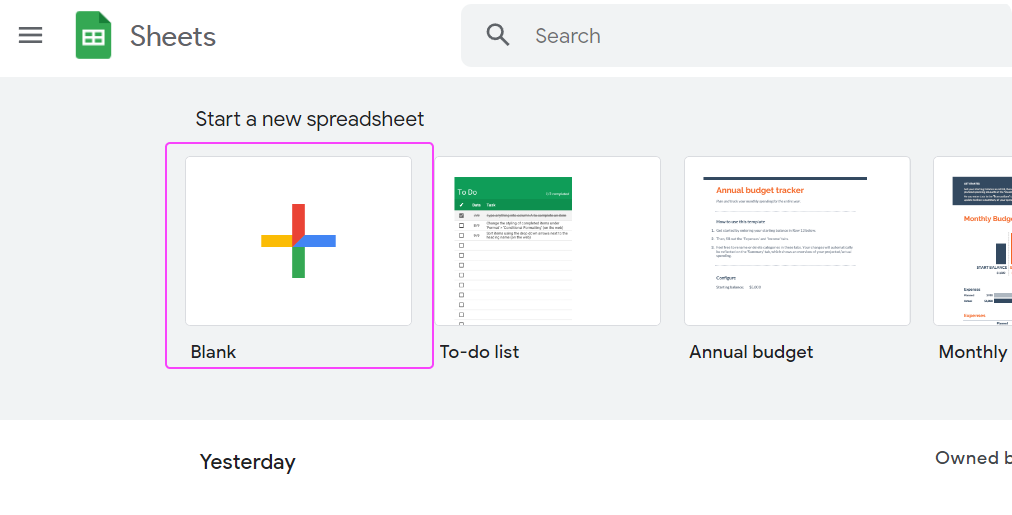
Open a new spreadsheet at sheets.new. This is your database: every submission becomes a row here. FormEasy writes the header row for you.
Configure it. Copy it. Ship it.
Set your fields and options and get both halves: the Apps Script function and the code for your site. Paste your Web app URL to fill it in everywhere and send a real test.
Your form
Row 1 of your Sheet
Date is added automatically. New rows always go in row 2.
Apps Script Paste into Code.gs, then deploy (step 5).
function doPost(req) {
  FormEasy.setEmail('[email protected]'); // Where notifications go
  return FormEasy.action(req); // Always last, always returned
}Your site Replace <DEPLOYMENT_ID> with your Web app URL, or paste it on the left.
<form id="contact-form">
  <input name="name" placeholder="Name" required />
  <input name="email" type="email" placeholder="Email" required />
  <textarea name="message" placeholder="Message" required></textarea>
  <button type="submit">Send</button>
  <p id="form-status" role="status"></p>
</form>

<script>
  const form = document.getElementById('contact-form');
  const status = document.getElementById('form-status');

  form.addEventListener('submit', async (event) => {
    event.preventDefault();
    const data = Object.fromEntries(new FormData(form));
    status.textContent = 'Sending…';
    try {
      const res = await fetch('https://script.google.com/macros/s/<DEPLOYMENT_ID>/exec', {
        method: 'POST',
        headers: { 'Content-Type': 'text/plain;charset=utf-8' },
        body: JSON.stringify(data),
      });
      const result = await res.json();
      if (result.status !== 'OK') throw new Error(result.message);
      form.reset();
      status.textContent = 'Thanks! Your message is on its way.';
    } catch (error) {
      status.textContent = error.message || 'Something went wrong. Please try again.';
    }
  });
</script>Small library.
Everything a form needs.
Your columns, set in one line
List your fields and FormEasy writes the header row for you, adds a Date column, and keeps the newest submission on top.
FormEasy.setFields('name', 'email', 'website', 'message');
An email you can reply to
Every submission arrives as a clean summary. Reply-to is taken from the form's email field, so hitting Reply answers the sender.
New submission using FormEasy
Reply-to: [email protected]
Form submission - FormEasy
Name
Maya Chen
Message
Loved the portfolio. Free for a project in May?
Submitted date: November 23, 2026 9:41:07 AM
Created using: FormEasy
Subject and heading are yours to set with setSubject and setFormHeading.
Bots stop at the door
Turn on Google reCAPTCHA v2 or v3 and submissions without a valid token are rejected before a row is written.
Your data, your account
Submissions go straight into your own Sheet. FormEasy has no servers and no database, so nobody else sees a thing.
One URL, forever
Change your script and publish a new version of the same deployment. The URL your site posts to never changes.
Works with any stack
It's an HTTPS endpoint that takes JSON, so anything that can make a request can use it.
This is amazing, FREE, and open-source. WOW, what more can you ask for?
Kai, Founder at SaasZilla
The same form, three ways.
Hosted form services are great until the free tier runs out. Building your own is great until you have to maintain it. FormEasy sits in between.
| Feature | FormEasyFREE | Hosted form service | Your own backend |
|---|---|---|---|
| Monthly cost | $0 | Free tier, then a paid plan | Hosting, database and email provider |
| Where submissions live | Your own Google Sheet | The vendor's dashboard | Your database |
| Setup | About 5 minutes | Sign up, get an endpoint | Hours to days |
| Maintenance | None. Google runs it | None | Updates, uptime, backups |
| Submission limits | Google's quotas only | Capped by plan | Whatever you build |
| Email alerts | Yes, with reply-to the sender | Yes | Build and pay for it |
| Spam protection | reCAPTCHA v2 and v3 | Yes | Build it |
| Source code | MIT, about 200 lines | Closed | Yours |
FormEasy runs within Google's Apps Script quotas, such as 100 notification emails a day on a free Google account. All the limits
Questions, answered.
The short version of the docs. For every method, recipe and error message, read the full guide.
Yes. FormEasy is MIT-licensed open source with no paid tier. It runs as Google Apps Script under your own Google account, which is free within Google's usage quotas.
Ship the form.
Skip the server.
One Sheet, one short function, five minutes. Free today, free next year, and the code is yours to read.