The last-time tracker

When did you last do that? SinceWhen remembers.

SinceWhen remembers the last time for everything you do now and then, and quietly learns when it's due next. One tap to log. No streaks, no guilt, no mental tabs left open.

  • Free for 3 events
  • No account
  • Zero tracking
  • Loved on the App Store
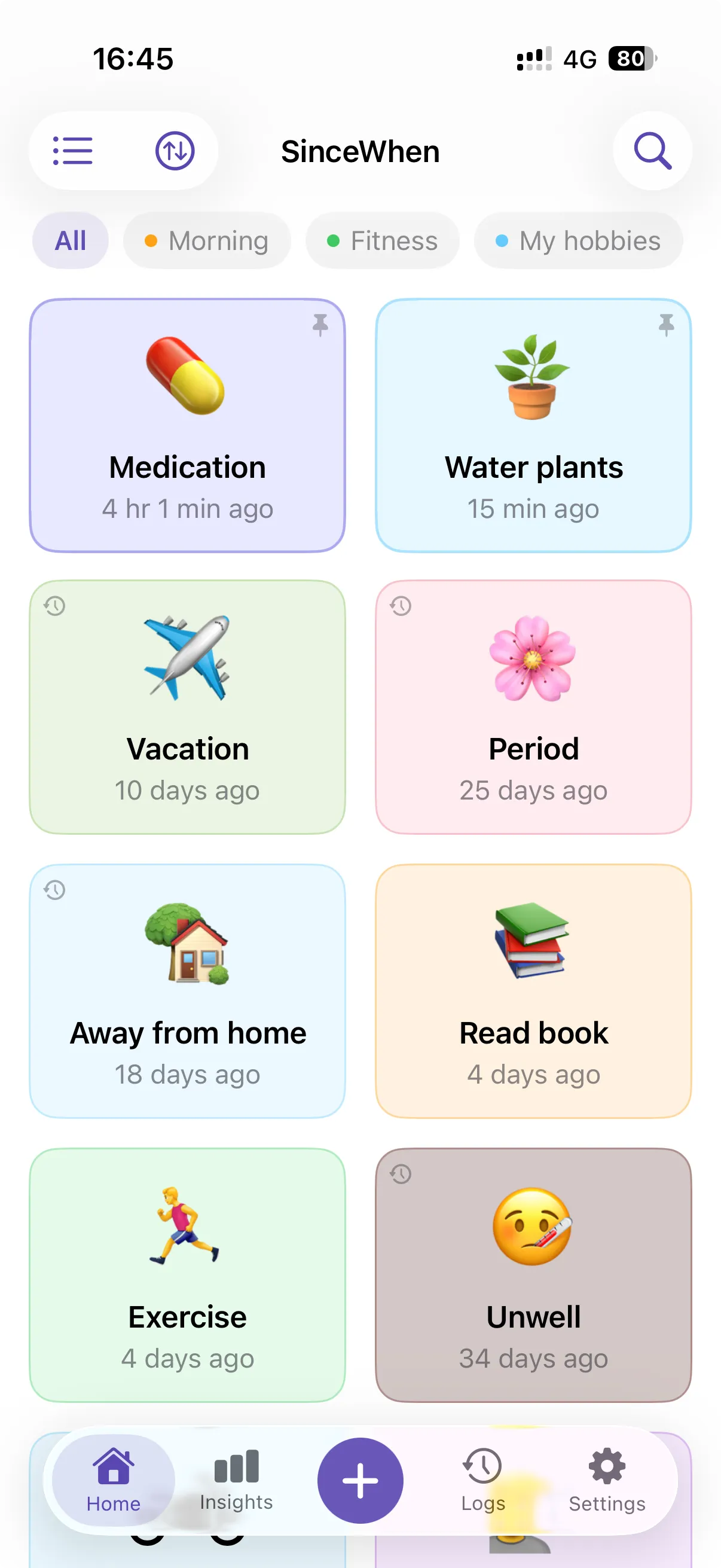
SinceWhen Home screen with colorful event cards showing how long ago each was logged
Medication loggedJust now Β· one tap

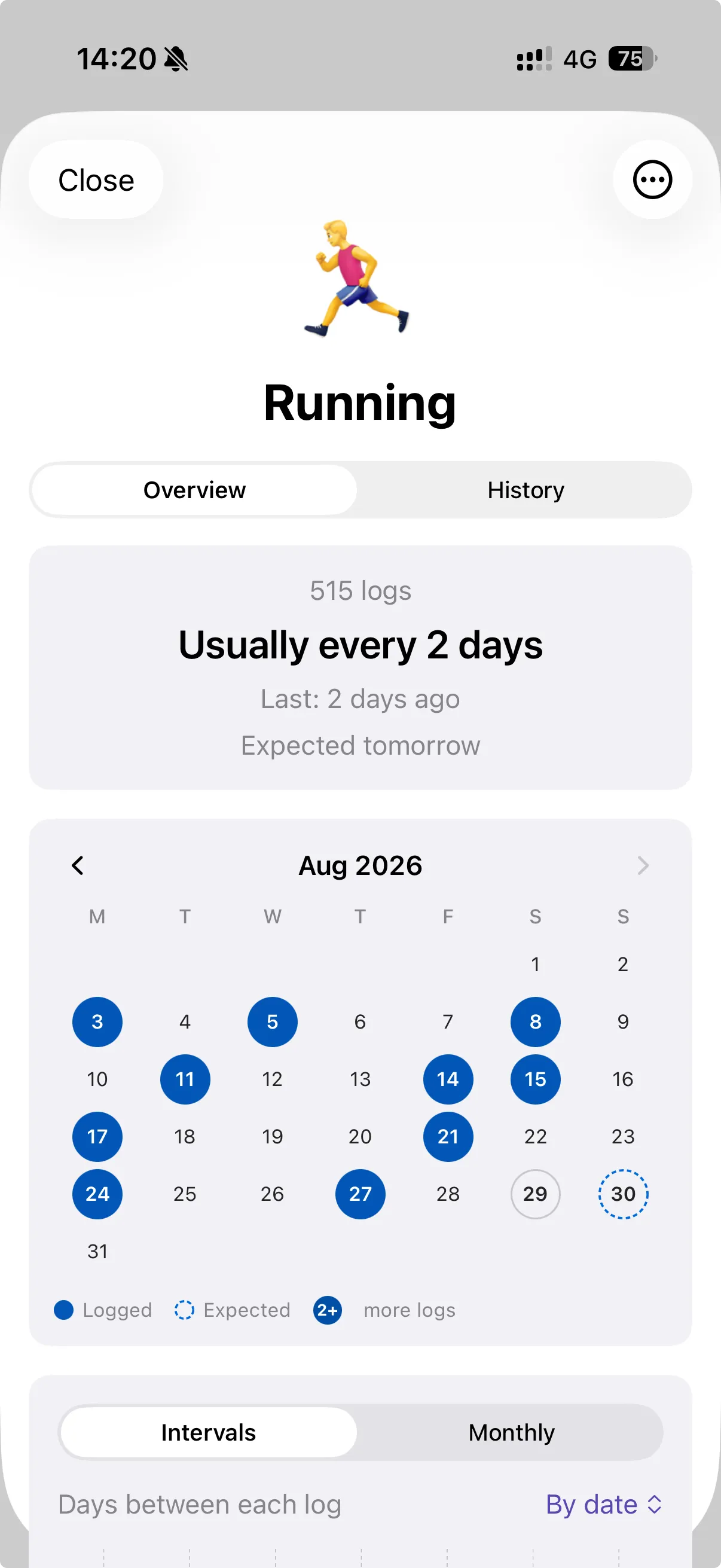
Running

Usually every 2 days

Expected tomorrow
SinceWhennow

πŸͺ΄ Water plants

Just a heads up, this is expected today. No rush!

If you do it now and then, SinceWhen remembers it.

  • Medication4 hr ago
  • Water plants2 days ago
  • Oil change3 weeks ago
  • Haircut1 month ago
  • Dentist5 months ago
  • Air filter3 weeks ago
  • Period25 days ago
  • Vacation10 days ago
  • Running2 days ago
  • Changed sheets9 days ago
  • Called mom6 days ago
  • Flea meds4 weeks ago
  • Read book4 days ago
  • Ate outYesterday
  • Unwell34 days ago
  • New toothbrush2 months ago
Why SinceWhen

Life doesn't run on streaks.

Habit apps are built for things you do every day. Most of life isn't like that: a haircut every six weeks, an oil change every few months, the dentist whenever you remember. SinceWhen doesn't count your misses. It tells you how long it's been.

A typical habit app

πŸ”₯ 12-day streak

0 days. Start over?

M
T
W
T
F
S
S

Miss a few days and the whole thing feels pointless.

SinceWhen

Haircut

5 weeks ago

Your rhythm
Every 6 weeks
Expected
In 8 days

Just how long it's been, and when it's probably next. No judgement.

β€œI never liked habit trackers for exactly that reason. Miss a couple days and suddenly the whole thing feels pointless… this makes more sense for real life stuff.”

u/lusttonly on Reddit

How it works

Three steps. Then it just runs.

No setup marathon, no schedules to plan. Log the things you already do, and SinceWhen works out the rest.

  1. STEP 01

    Name it

    Anything you do now and then. Stuck? Tap a ready-made idea for Self, Home, Tech, Drive or Care.

  2. STEP 02

    Tap to log

    One tap on the icon and it's saved. Add a note or log it for yesterday if you forgot.

  3. STEP 03

    Let it learn

    After a few logs, SinceWhen knows your rhythm and tells you when each thing is due next.

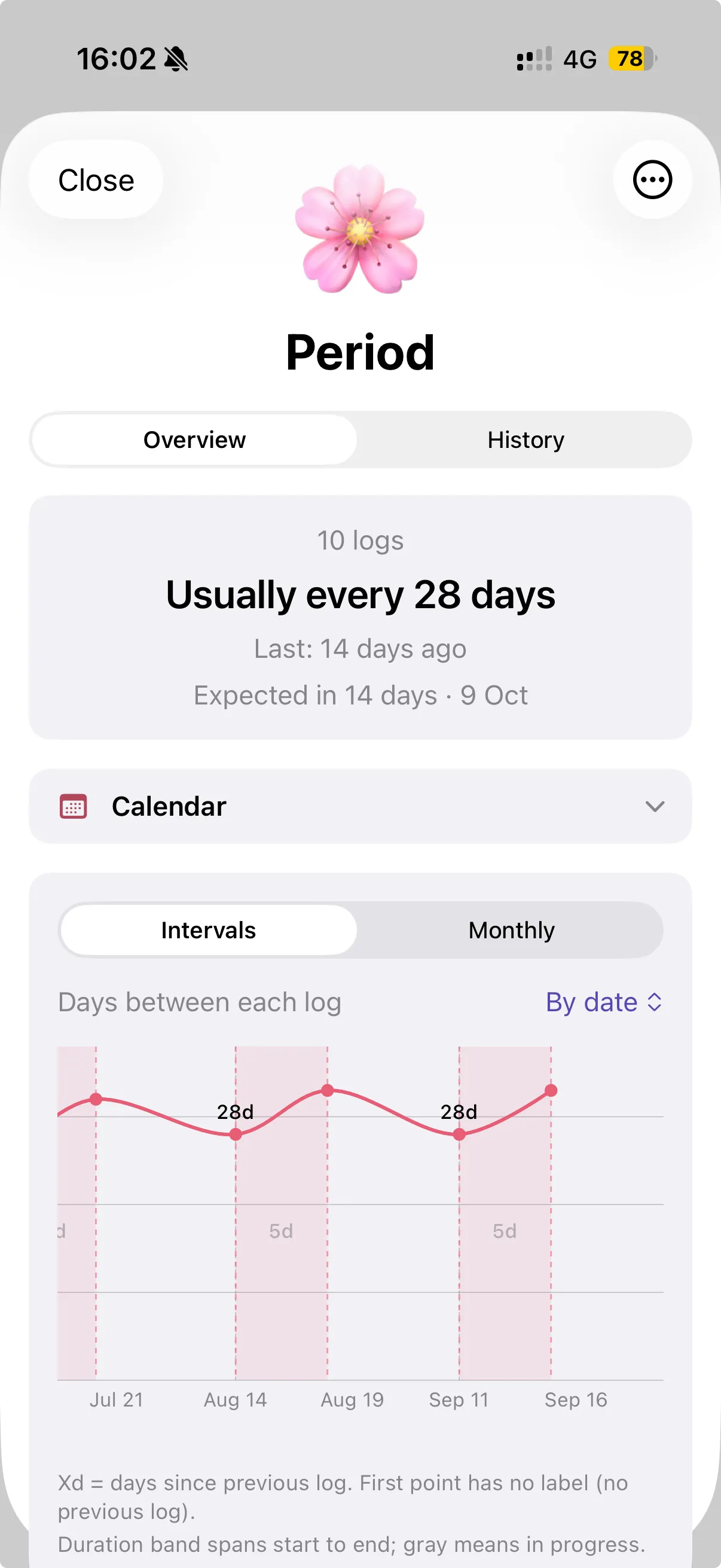
Period insights: usually every 28 days, with multi-day bands on the intervals chart
Running insights: usually every 2 days, expected tomorrow, with an activity calendar
PeriodExpected in 14 days Β· 9 Oct
Insights that predict

It learns your rhythm. Then tells you what's next.

Every log teaches SinceWhen a little more. Soon it knows you run every 2 days, water the plants every 4, and that your next cycle starts on the 9th. No spreadsheets. No math.

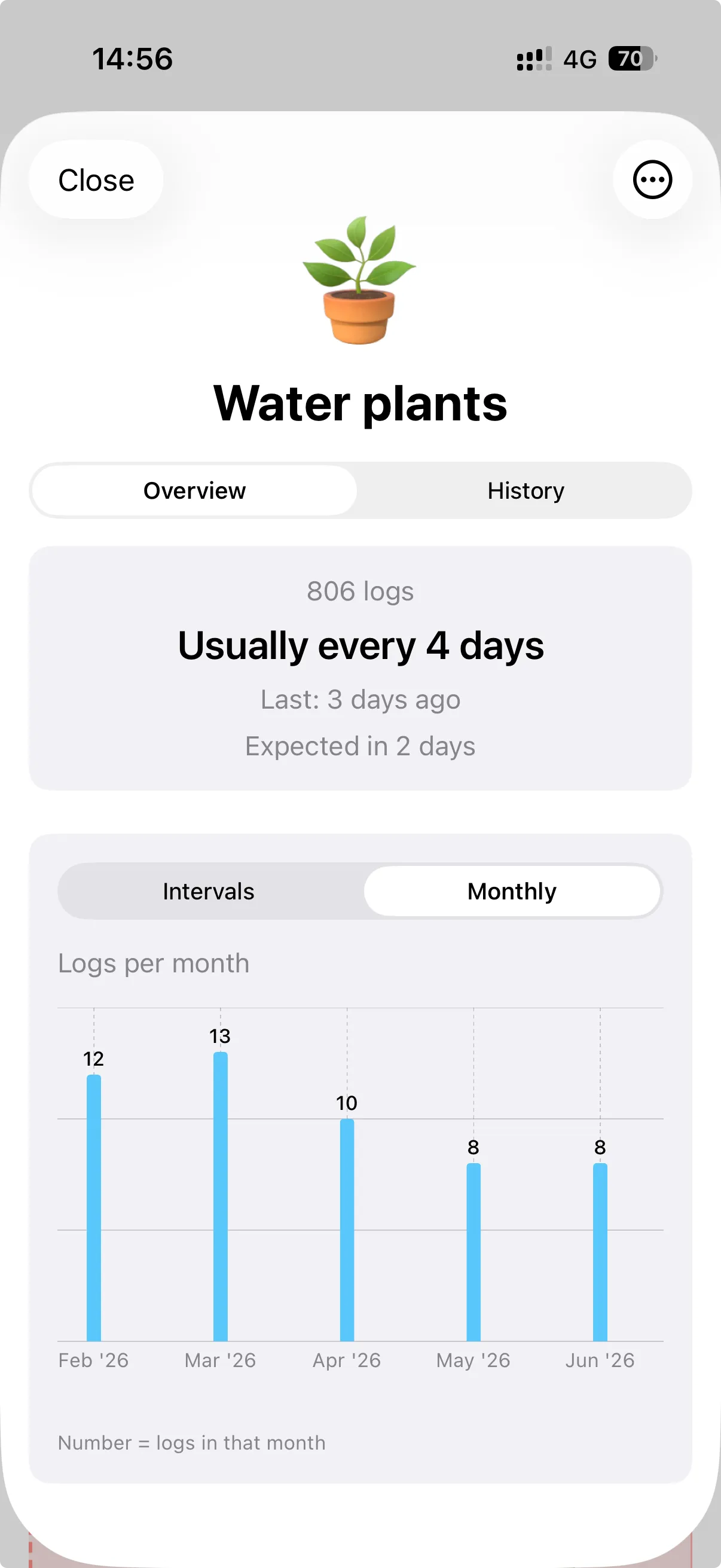
  • β€œUsually every 4 days”, in plain words
  • Expected next day, ringed on your calendar
  • Interval and monthly charts for your full history
  • Three forecast styles for steady, shifting or patchy routines
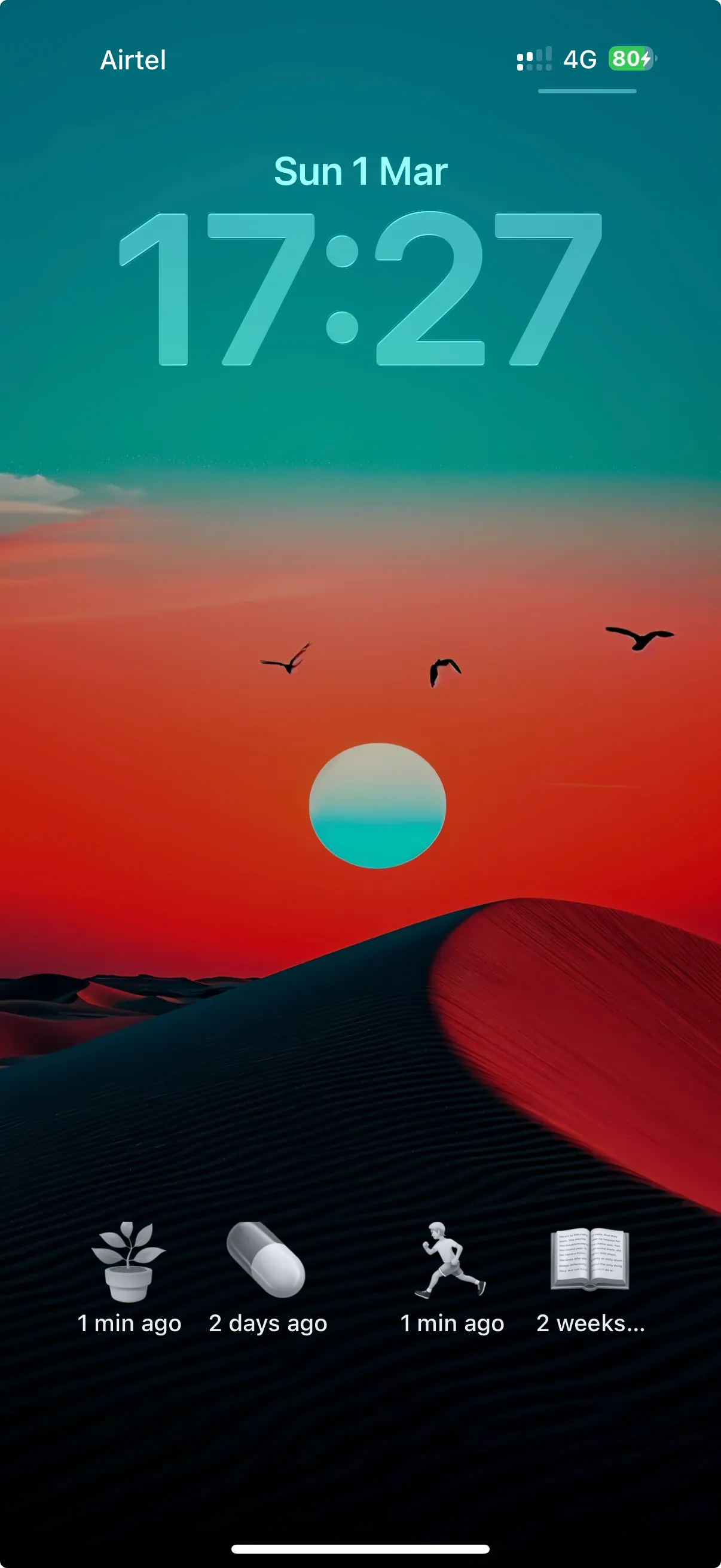
SinceWhen Lock Screen widgets showing time since each event
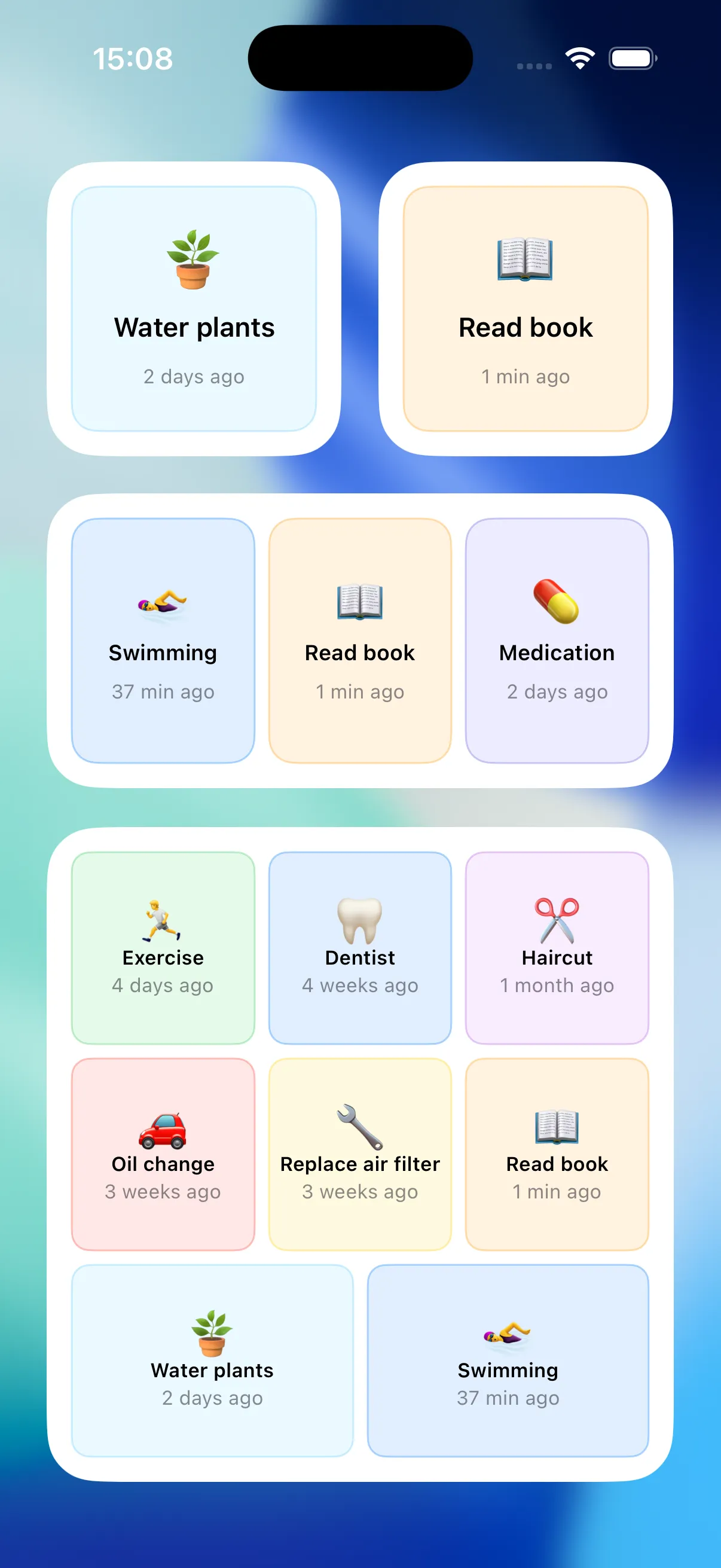
SinceWhen Home Screen widgets in small, medium and large sizes
β€œLog water plants in SinceWhen”Done. Logged just now.
Log from anywhere

Log it the moment it happens.

The best log is the one you never have to open an app for. Tap a widget on your Home Screen or Lock Screen, or just ask Siri. It's saved before you put your phone down.

  • Home Screen widgets in every size
  • Lock Screen widgets, no unlocking needed
  • Siri: β€œLog water plants in SinceWhen”
  • Shortcuts and NFC automations
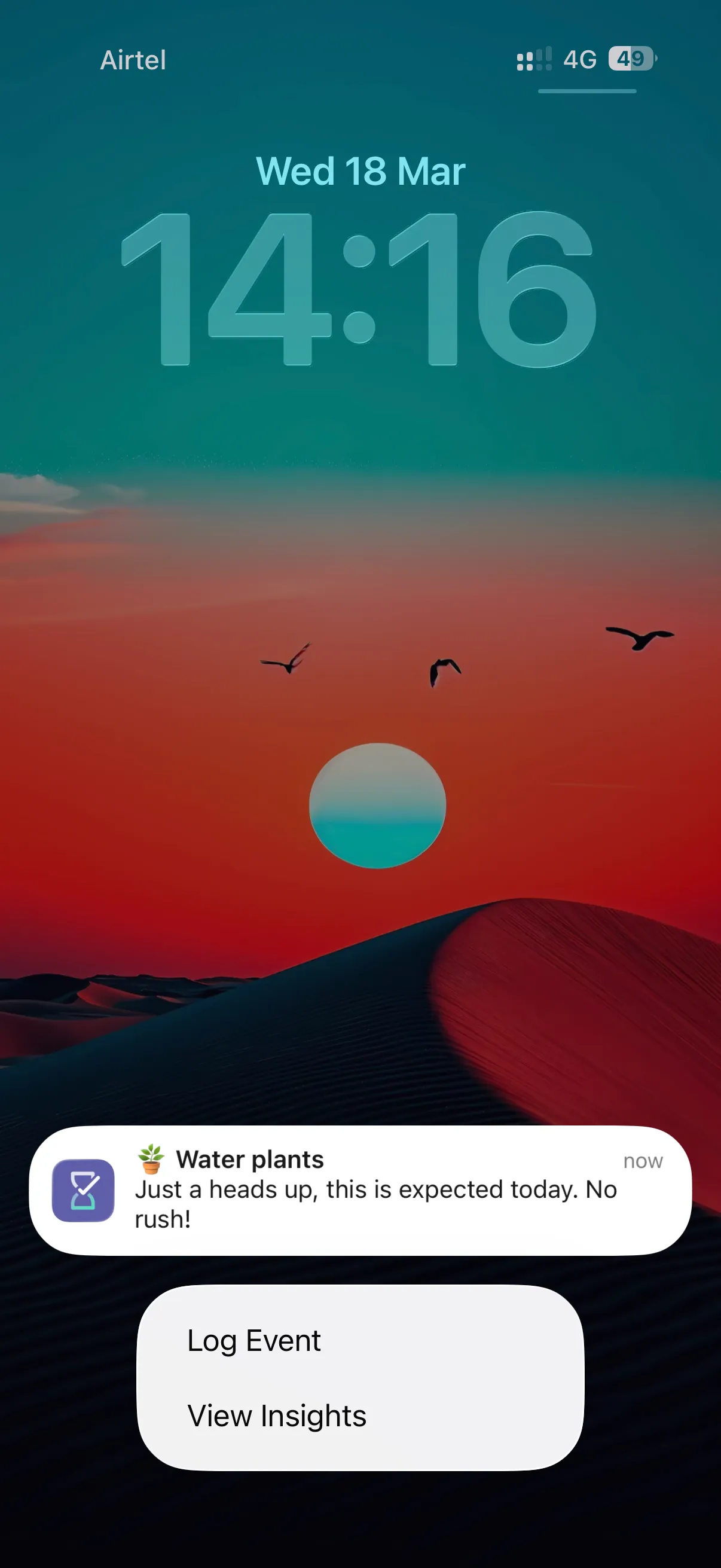
A gentle SinceWhen nudge on the Lock Screen with Log Event and View Insights actions
No rush!Friendly reminders, never pushy
Gentle nudges

A nudge, not a nag.

Turn on a nudge for the things that matter. SinceWhen reminds you when something is actually expected, based on your real rhythm instead of a rigid schedule. Then log it straight from the notification.

  • Two days before, the day before, on the day or after
  • Morning, afternoon, evening, custom or dynamic timing
  • Log Event without even opening the app
Water plants insights with a monthly logs bar chart
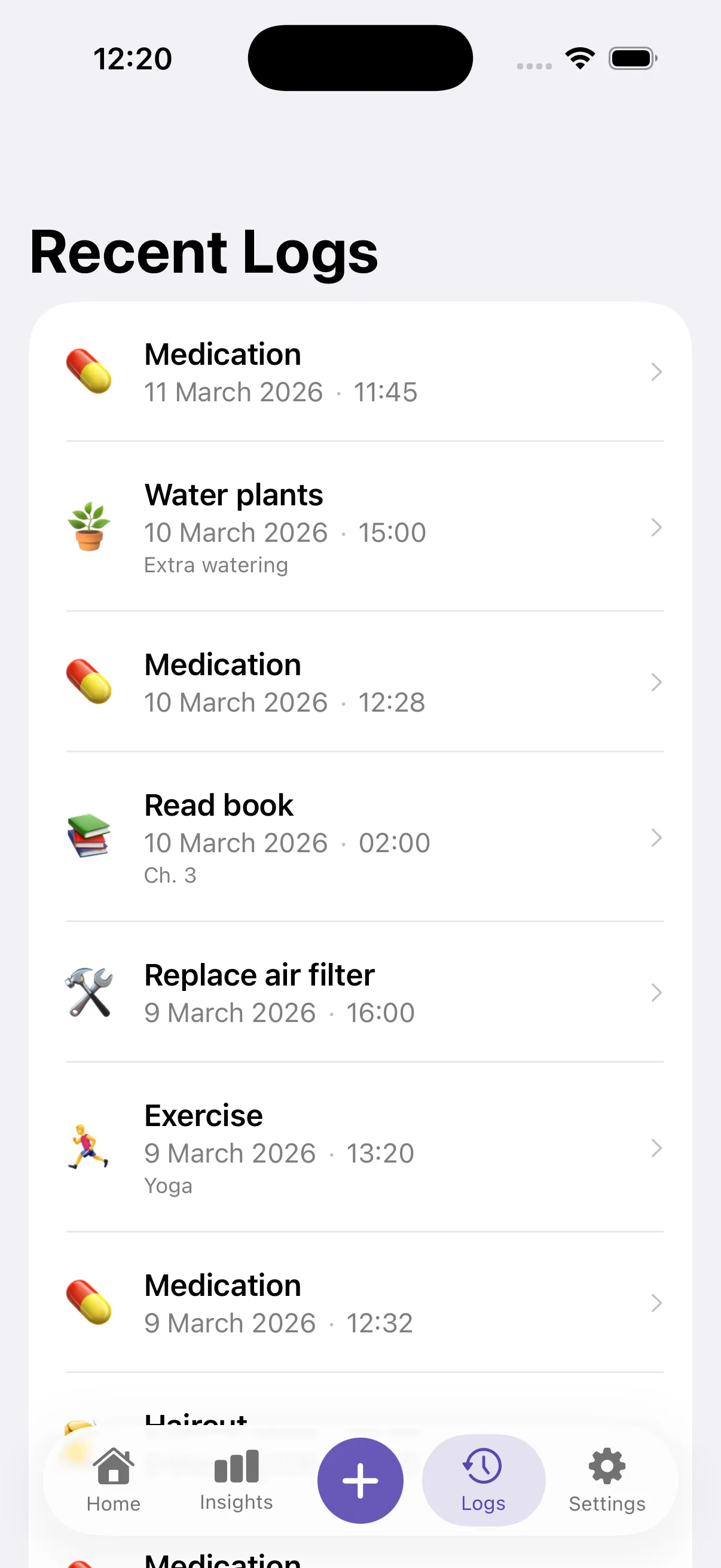
Recent Logs list with dates, times and notes
Read book Β· β€œCh. 3”10 March 2026 Β· 02:00
Your history

Every moment, on the record.

Every log is kept with its note, so β€œwhen was that?” gets a date instead of a guess. Forgot to log? Pick yesterday or any day. Then watch the months add up.

  • Notes on any log
  • Backdate in a couple of taps
  • Monthly totals and the full timeline
  • Edit, delete or undo anything
Ideas

What will you never forget again?

A few ideas to get you going. The app has ready-made ones built in, or make your own in seconds.

  • HaircutUsually every 6 weeks
  • Called momUsually every 5 days
  • Went for a runUsually every 2 days
  • Finished a bookUsually every 3 weeks
  • Donated bloodUsually every 4 months
  • Ate outUsually every 4 days
The details

Thoughtful, right down to the last detail.

Simple on the surface, with everything real life throws at it handled underneath.

Private by design

No accounts. No ads. No analytics. Your timeline lives on your device and in your own iCloud, and nowhere else.

  • No account
  • No ads
  • No analytics

Events that last days

Trips, periods, sick days. Tap to start, tap to end. SinceWhen counts Day 1, Day 2… and learns how long they usually last.

Pause, don't delete

Traveling or injured? Pause an event so your predictions stay honest and no nudge bothers you.

Categories with insights

Group events into Morning, Fitness or Hobbies, filter Home in a tap, and see the rhythm of the whole group.

Synced and backed up

iPhone and iPad stay in step over iCloud, with automatic backups you can restore anytime.

Your data, your way

Export everything as JSON whenever you like. No lock-in, ever.

And all the little things

  • Pin & hide
  • Grid or list
  • Drag to reorder
  • Search
  • Sort by due soon
  • Dark mode
  • iPad
  • Undo
  • Days-only display
  • Emoji or SF Symbols
Loved by real people

People who hate streaks love this.

Real words from the App Store and Reddit, from people who track life, not habits.

β€œBetter than a recurring task list because the list can be pushed aside while SinceWhen silently tracks how long it has been since the last time this happened. No judgement, no nag. Just a simple reminder.”
Dr-Greg

β€œNice and simple tracker app. Doesn't feel bloated with unnecessary features.”
Mohammed
β€œThis app is so apt to track how often I visit restaurants, vacation, eat outside food etc stuff. Amazing.”
u/friendInShip
β€œThis is genuinely a cool app! I have built a habit tracker before and this concept just seems… better!”
u/BlackBullet96
β€œthis is actually kinda nice lol, i never liked habit trackers for exactly that reason. miss a couple days and suddenly the whole thing feels pointless and you just stop using it β€” this makes more sense for real life stuff.”
u/lusttonly

β€œSimple, elegant, and useful. I don't want nagging or gamification, I just want to easily log when I've done something, see when I last did it, and dig into my history if I want to. The feature set is just right.”
stokini
β€œLooks, works, and feels great - absolutely love it! πŸ™Œβ€
u/KenenOne
β€œThat's a nice angle β€” streak-based habit apps can get weirdly punishing for things that aren't daily habits. A simple log of when something was last done is often way more useful than a perfect streak.”
u/Jumpy-Tutor-5644
β€œHey, really liked it. I mean, it was about 5 years ago when I started to live alone and home maintenance become an issue and no hobbits app was made to track simple things like cleaning a kettle at lease once a month. So I ended up with using reminders but no tracking there of course and gosh, it was boring.”
u/Humble_Parsnip_1246

β€œI much prefer a tracker like this. For example, I need to know when I last had my period (I go to the gyno often) but don’t want it on my regular calendar and the apps that show log ins via graphs or bubbles make me feel overwhelmed. This one is simple- log in and it’ll tell me when I last did something”
Alygatorinthevalley
β€œGreat concept and really nice implementation.”
u/Puzzleheaded-Oil-571
β€œLove it because it's so colourful.”
u/One_Acanthaceae_5814
β€œVery nice simple app! I just installed it and bought the pro version.”
u/StephenHarlem
β€œYup just as predicted, I've been using this app every day multiple times a day since I got it. Well worth the price!”
u/Dungeon_Crawler_Carl
Pricing

Start free. Stay as long as you like.

Your first 3 events are free forever, with every core feature. Go Pro when life needs more.

Free

$0forever

For the few things you never want to lose track of.

  • 3 events, fully featured
  • One-tap logging with notes
  • Insights, charts & predictions
  • Home & Lock Screen widgets
  • Gentle nudges
  • Import from JSON

Pro

Lifetime option

Buy once, or go yearly or monthly.

Everything in Free, plus:

  • Unlimited events
  • Siri & Shortcuts automations
  • iCloud sync across iPhone & iPad
  • Automatic iCloud backups
  • Export your history as JSON
  • Family Sharing on monthly & yearly

Prices vary by region. See the App Store for current plans.

Questions, answered.

Want the deep dive? The full guide covers every feature, or get in touch.

Is SinceWhen a habit tracker?

Not quite. Habit trackers count streaks for things you do every day. SinceWhen is for everything you do now and then. It shows how long it has been since the last time and when it's likely due next, without punishing you for gaps.

What can I track with it?

Anything that repeats on its own schedule: oil changes, haircuts, medication, watering plants, dentist visits, air filters, periods, trips, calling family, even how often you eat out.

How does it know when something is due?

It looks at the gaps between your logs. It starts on Pattern aware, which skips a one-off long gap, such as a week away, then follows your rhythm once the latest gaps repeat.

Do I need an account? Is my data private?

No account, no sign-up, no ads and no analytics. Your data stays on your device, and with Pro it syncs and backs up to your own iCloud.

What's free and what's in Pro?

Your first 3 events are free forever with every core feature. Pro adds unlimited events, Siri and Shortcuts, iCloud sync and backups, and JSON export. Choose lifetime, yearly or monthly. Subscriptions include Family Sharing.

Which devices does it support?

iPhone and iPad running iOS 17.6 or later, including Home Screen and Lock Screen widgets.

Which languages does it support?

English, German, Japanese, Spanish, French, Portuguese, Korean, and Italian. Spanish covers Spain, Mexico, and other Spanish-speaking regions. Portuguese covers Brazil and Portugal.

Close the tabs in your head.

Let SinceWhen remember the last time, so you can get on with the next one.

Free Β· iPhone & iPad Β· iOS 17.6+