Remove the background from any image

Drop a photo and the AI cuts out the subject in seconds. Download a transparent PNG or drop in a new background. It all runs on your device, so your photo is never uploaded.

  • Files never leave your device
  • No sign-up
  • Free, no watermarks

Drop a photo to remove its background

or choose a photo

PNG, JPG, WebP or HEIC · up to 25 MB · processed on your device

How it works

3 steps. That’s the whole thing.

  1. 1

    Drop your photo

    Drag it in, choose it, or paste it. PNG, JPG, WebP and iPhone HEIC all work, up to 25 MB.

  2. 2

    Let the AI cut it out

    The background disappears automatically. Drag the slider to compare before and after.

  3. 3

    Download or restyle

    Save a transparent PNG, copy it to the clipboard, or add a colour, gradient or photo behind it.

Why people use it

Fast, private, and nothing to figure out.

  • Your photo stays private

    The AI model runs inside your browser. Your image is never uploaded to a server.

  • Full resolution

    Download at the original size, not a shrunken preview. No watermark, ever.

  • True transparency

    Get a clean PNG with a transparent background, ready for slides, stores and designs.

  • New background in a click

    Swap in a solid colour, a gradient, a stock scene or your own image.

  • Copy straight to clipboard

    Paste the cut-out directly into Figma, Canva, Slides, Docs or a chat.

  • Fast after the first run

    The model downloads once; after that, most photos are done in a few seconds.

How this background remover works

Most background removers upload your photo to their servers, process it there, and often hand back a small, watermarked preview unless you pay. This one works differently: an AI segmentation model is downloaded to your browser and runs on your own device. It finds the subject, separates it from the background, and gives you a full-resolution PNG with a transparent background.

Because nothing is uploaded, it’s a good fit for personal photos, ID-style headshots, client work and product images you’d rather keep to yourself.

Tips for the cleanest cut-out

  • Use a photo where the subject is in focus and clearly separated from the background.
  • Good contrast between subject and background helps, for example a dark jacket against a light wall.
  • Larger photos give finer edges around hair and fur, at the cost of a little more processing time.
  • Fine wisps of hair or see-through objects are the hardest cases for any remover; check them with the slider.

What people use it for

Product photos on a clean white background for online stores, profile pictures and headshots, stickers and thumbnails, slide decks, and quick design mock-ups. Shot on an iPhone? HEIC photos work here directly, or you can batch convert them first with the HEIC to JPG converter.
FAQ

Questions, answered

Is this background remover really free?

Yes. It’s free with no sign-up, no credits and no watermark, and you download at full resolution.

Is my photo uploaded anywhere?

No. The AI model runs in your browser, on your device. Your photo is never sent to a server.

Why does the first image take longer?

The first time, your browser downloads the AI model. It’s cached after that, so later photos usually take just a few seconds.

Which image formats can I use?

PNG, JPG/JPEG, WebP and iPhone HEIC/HEIF images up to 25 MB. The result is always a PNG.

How do I make a background transparent?

Drop your image in. The background is removed automatically; click Download PNG to save it with a transparent background.

Can I add a new background?

Yes. After the cut-out, pick a colour, gradient or image (including your own) in the Background panel and click Apply.

For app makers

Building an app? Make store screenshots that sell.

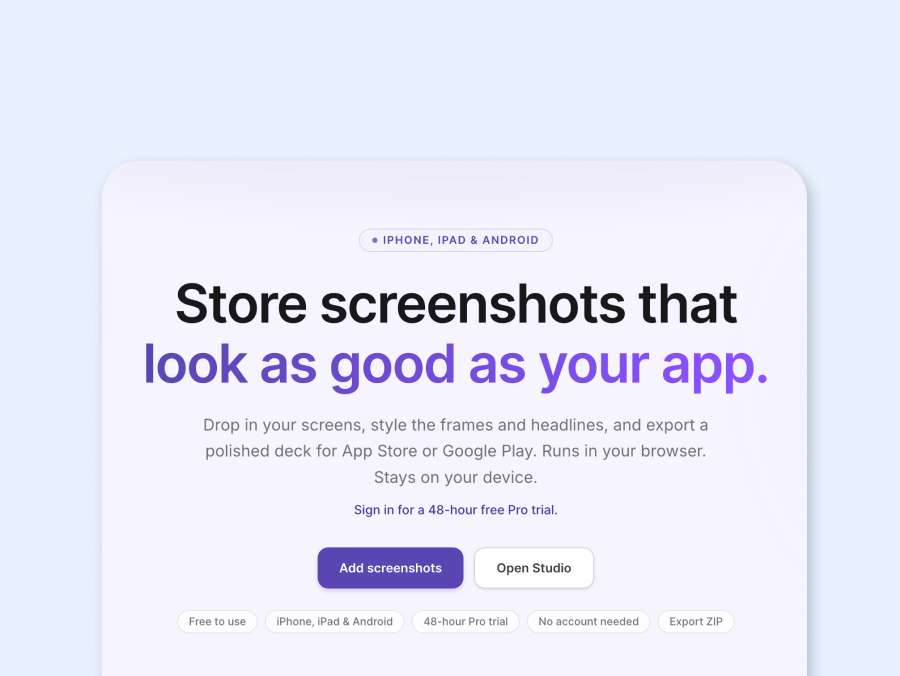
AppScreenPro turns raw screenshots into polished App Store and Google Play images with device frames and headlines, then exports every size at once. Free to use, right in your browser.

Try AppScreenPro free

Keep going

More free tools

New free tools, now and then

Get a short email when a new free tool or app ships. No spam; unsubscribe in one click.